

In development · Windows desktop

See deeper.
Trade smarter.

An order flow trading platform built for traders who read the tape. Every trade, every price, both sides of the book, and the order panel right beside it.

One email when it's ready. No spam.

  • Tick by tickevery trade with the side that took it
  • Localyour data stays on your PC
Eagle Charts
Eagle ChartsA tour of the platform

    Data feeds

    Crypto exchanges live today, futures and forex feeds in development

    • BybitLive
    • BinanceLive
    • OKXLive
    • CoinbaseLive
    • KrakenLive
    • HyperliquidLive
    • RithmicIn development
    • dxFeedIn development
    • OANDAIn development
    • cTraderIn development

    The platform

    Everything order flow,
    in one window.

    Built from the ground up for reading the auction, not bolted onto a candle chart.

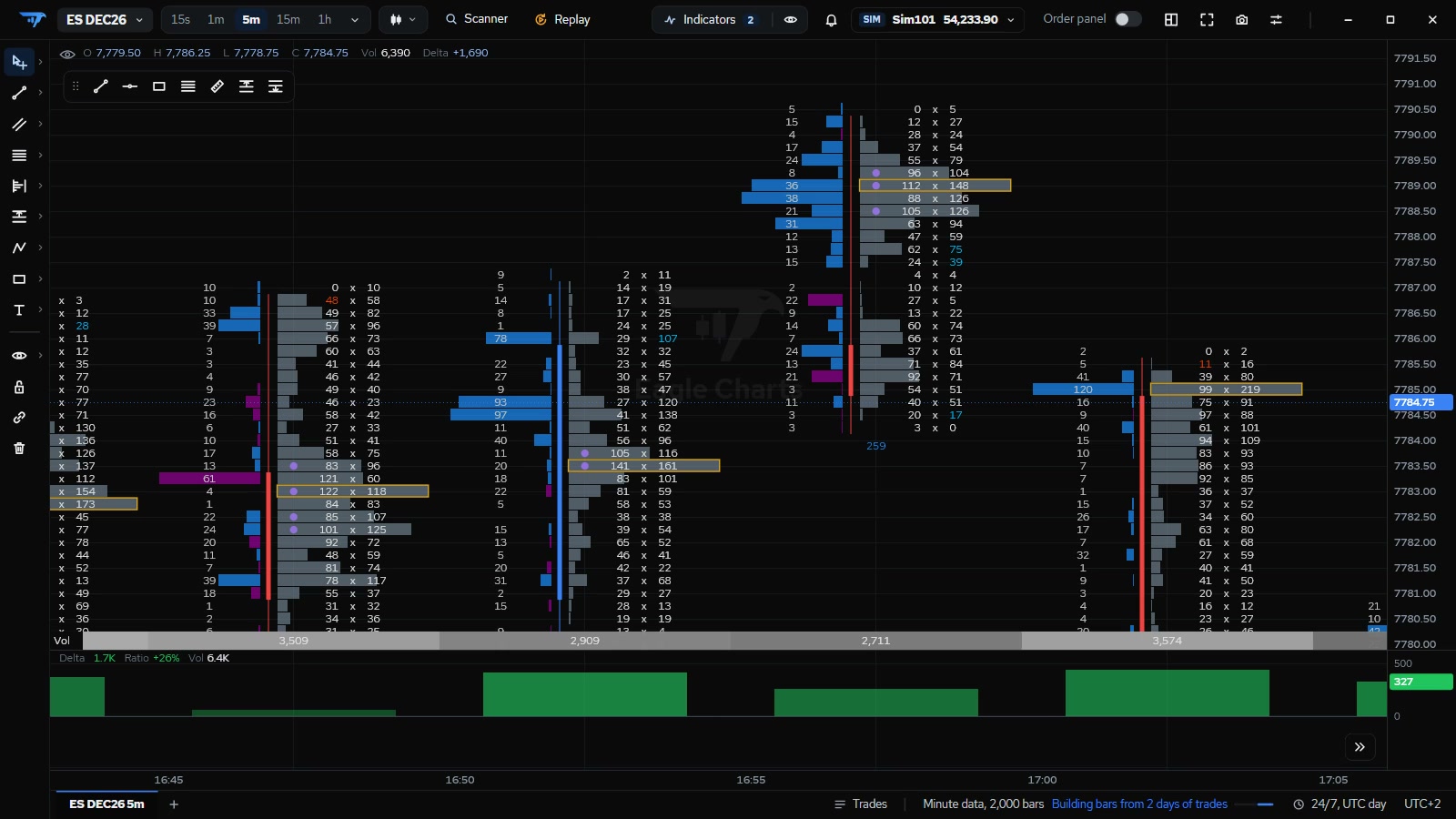
    Footprint

    Bid and ask volume at every price inside every bar. Imbalances outlined, delta bars underneath shaded by how decisive each bar was.

    An Eagle Charts footprint chart of ES: bid and ask volume at each price of every five-minute bar, with delta bars below.

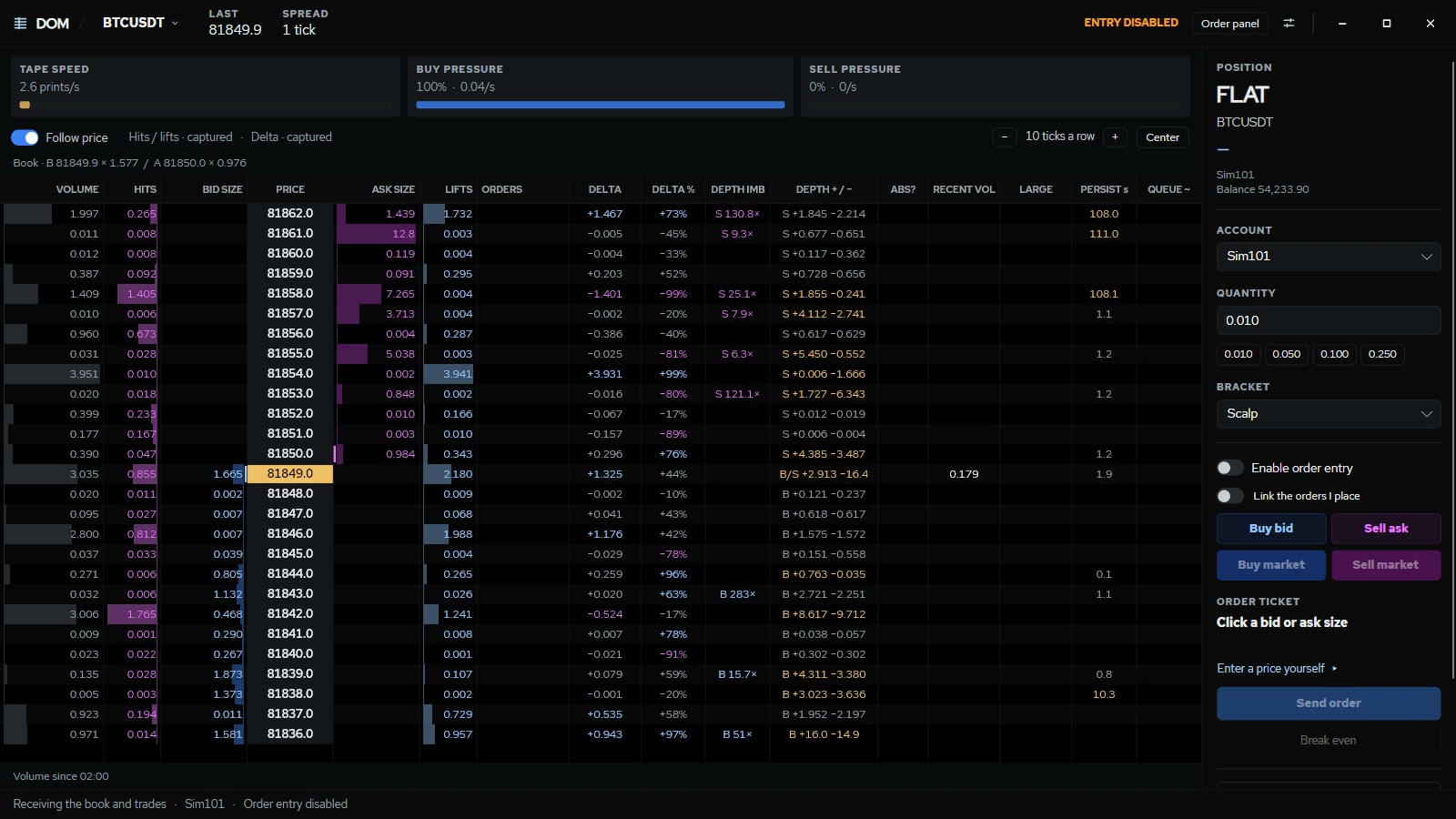
    DOM with the tape built in

    Size at every price, hits and lifts as they happen, tape speed and buy and sell pressure on top.

    The Eagle Charts DOM for BTCUSDT with volume, hits, bid and ask size, lifts and delta at every price, and its order panel.

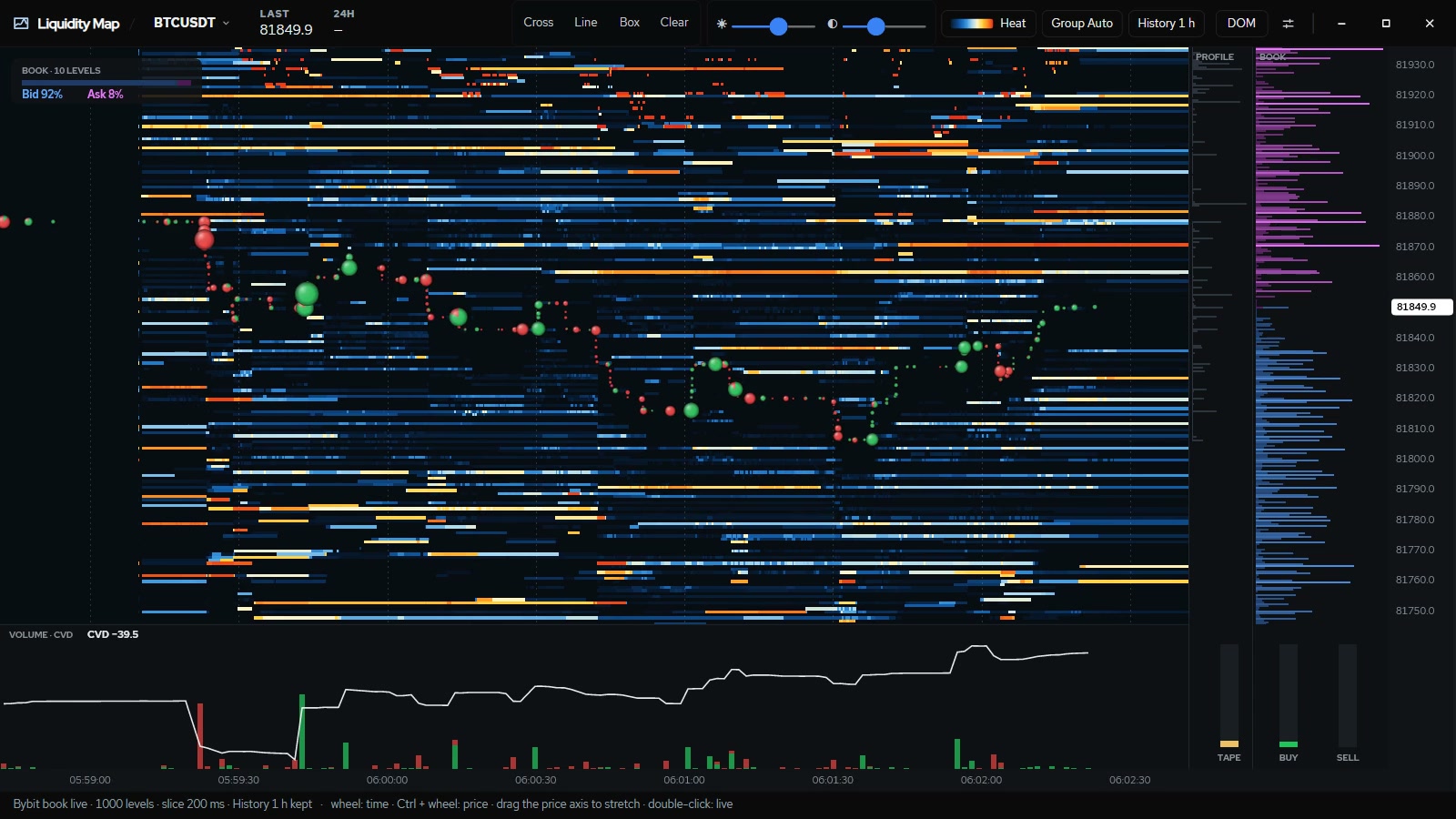
    Liquidity heatmap

    The book's history as heat: where size rested, where it was pulled, and every trade drawn on top.

    The Eagle Charts Liquidity Map: resting orders over time as heat, with trades drawn as dots.

    Volume profile and TPO

    Session, composite and range profiles with value area, POC and naked levels.

    Session volume profiles on an ES chart, each with its value area and point of control.

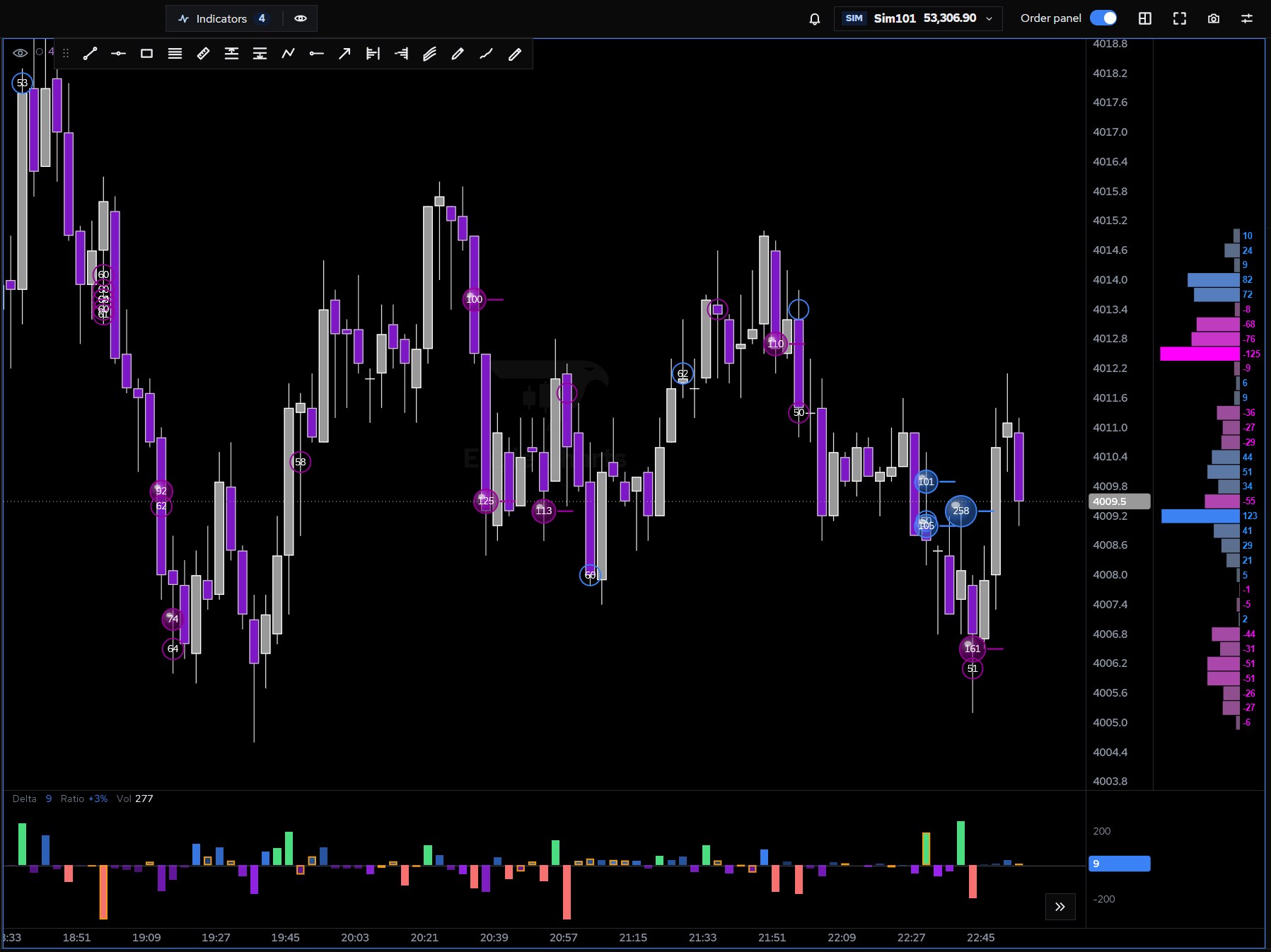
    Trade from the chart

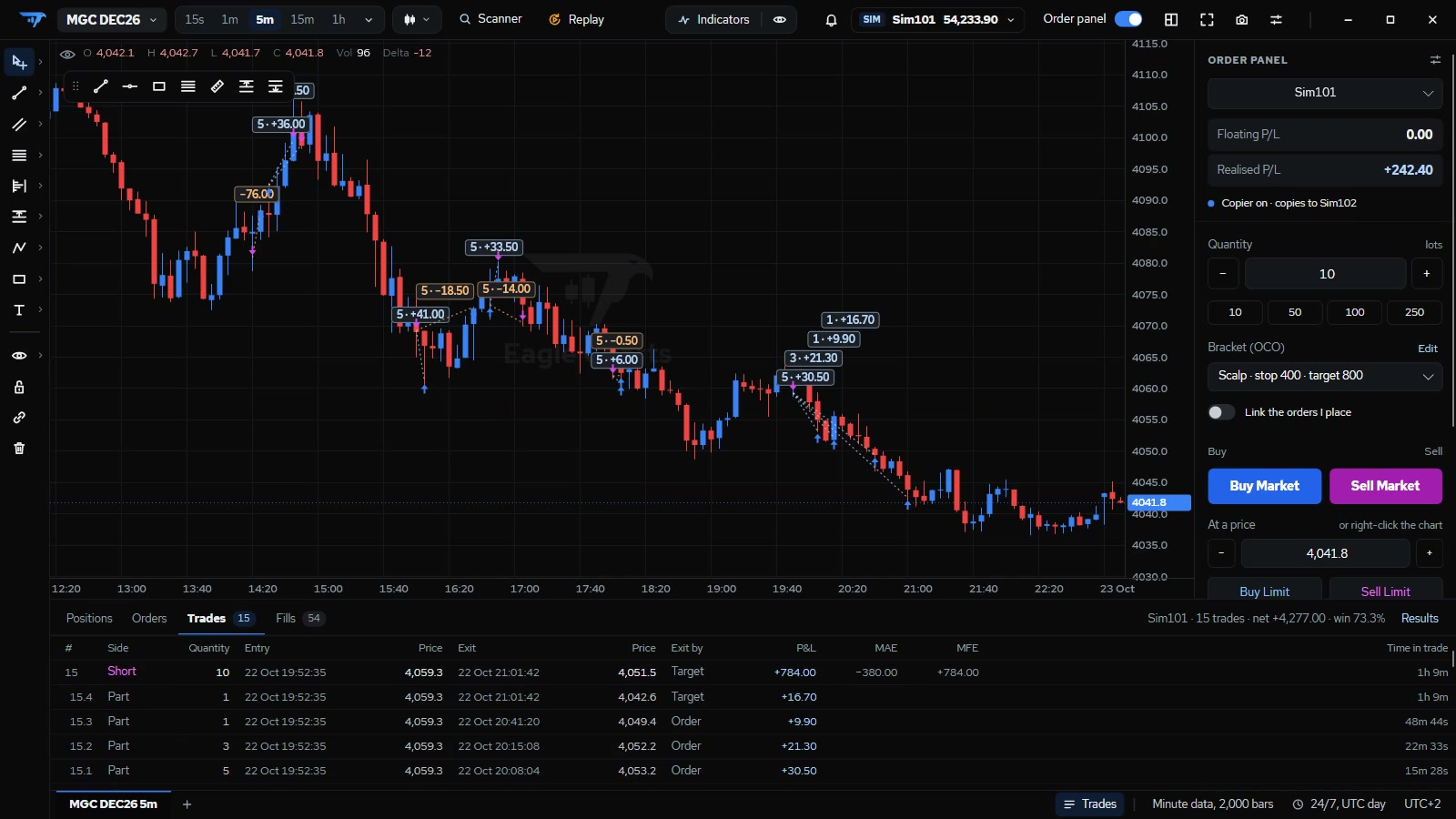
    Brackets with OCO, break even, reverse and flatten. Draw a trade plan and it sizes the position from the money you risk.

    The full Eagle Charts window: a chart with its trades drawn, the order panel beside it and the trades view below.
    01

    Every tick, kept

    Trades and the book are recorded on your PC as they print. Charts load past days from tick data, not guesses from candles.

    02

    Practise for real

    Simulated accounts on live markets with real costs, replay of past sessions from your own recordings, and a trade copier.

    03

    Desktop native

    Fast and local, with no browser tab in the way. Windows first; a Mac version follows once Windows is perfected.

    Toolkit

    The tools order flow traders reach for.

    Seventeen tools, grouped the way you trade.

    01

    Read the order flow

    Who is aggressing, at which price, and whether it worked.

    • FootprintBid × ask, delta or volume per row, imbalances outlined
    • Delta barsEach bar's delta, shaded by its ratio, divergence marked
    • Cumulative deltaCVD as candles or a line, with divergence signals
    • Big tradesLarge orders rebuilt from their slices, sized by volume
    • Delta price ladderDelta at each price, beside the axis
    02

    Read the auction

    Where value is, where size rests, and how price moves through it.

    • Volume profile and TPOSession, composite and range; value area and POC
    • VWAPSession and anchored, up to three bands
    • Liquidity heatmapThe book's history as heat, trades on top
    • DOMVolume, hits, lifts and delta at every price
    03

    Trade

    From the idea to the fill, without leaving the chart.

    • Order panelBrackets with OCO, break even, reverse, flatten
    • Trade plansLong and short plans that size the position
    • Price alertsOn levels and drawn lines, with sounds
    • Trade copierOne account leads, the others follow
    04

    Practise and organise

    Sharpen your edge and keep your setup your own.

    • Simulated accountsLive markets, real costs, no money at risk
    • ReplayTrade past sessions again from your tick data
    • LayoutsSeveral charts in a window, resizable and linked
    • Templates and sharingShare indicator setups and workspaces by code

    FAQ

    Questions,
    answered.

    When can I use it?

    Eagle Charts is in development. Join the early access list and you'll be among the first to trade with it; we send one email when it's ready.

    Which markets does it cover?

    Crypto today, from Bybit, Binance, OKX, Coinbase, Kraken and Hyperliquid, with their public market data: no exchange account is needed to chart them. Futures and forex connections are in development.

    Does it run on Mac?

    Windows first. A Mac version follows once the Windows version is where we want it.

    Where is my data kept?

    On your own computer. Trades, the book, your workspaces and settings are stored locally, not on our servers.

    Can I practise before trading real money?

    Yes. Simulated accounts trade the live market with real costs, and replay lets you trade past sessions again from your recorded tick data.

    Be first to trade with it.

    Join the early access list. Tell us what you trade and we'll make sure it's ready for you.

    What do you trade?

    One email when it's ready. Read how we keep it in our privacy note.